Matterport Workshop
The cloud-side editor at my.matterport.com — where Capture projects became publishable Showcase models. Tag authoring, scan management, sharing controls, and embed configuration.
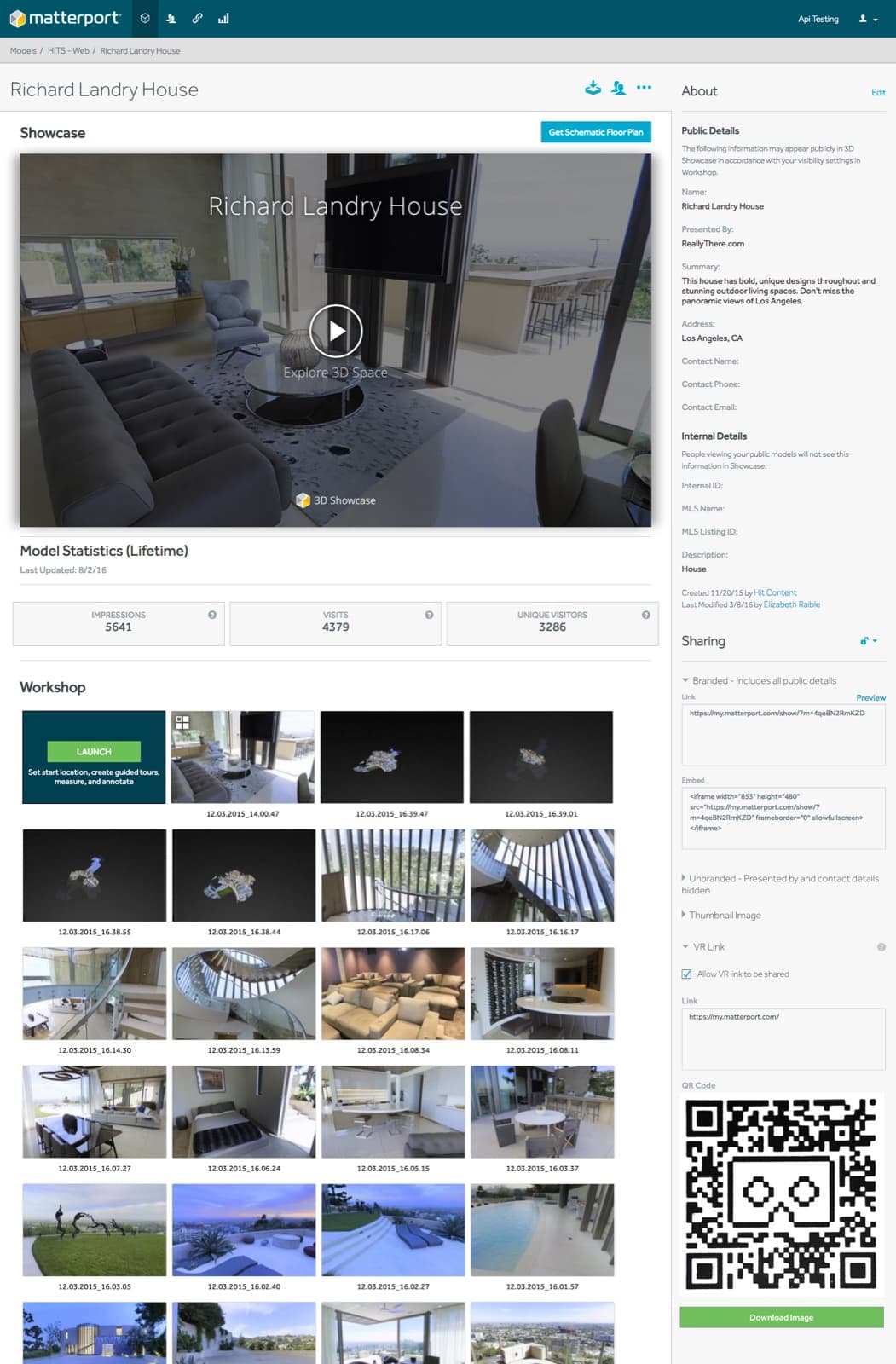
What Workshop was
Workshop was the desktop-browser editor at my.matterport.com. When a Capture project finished cloud processing, the operator or their account holder opened Workshop to prepare the model for publishing — authoring tags, trimming scans, configuring sharing, and generating the embed snippet for the host site.
Capture was a field tool. Showcase and the Viewing App were players. Workshop was the editor — the only dedicated content-editing surface in the platform.
What it did
The editor supported tag authoring in 3D space, with content types for text, image, video, and external links. Scan management included trim, hide, and reorder operations. Sharing controls covered scope (public, link-only, password-gated). An embed snippet generator produced the code customers pasted into their host sites, with a preview of how the embed would render at the chosen dimensions and feature toggles.
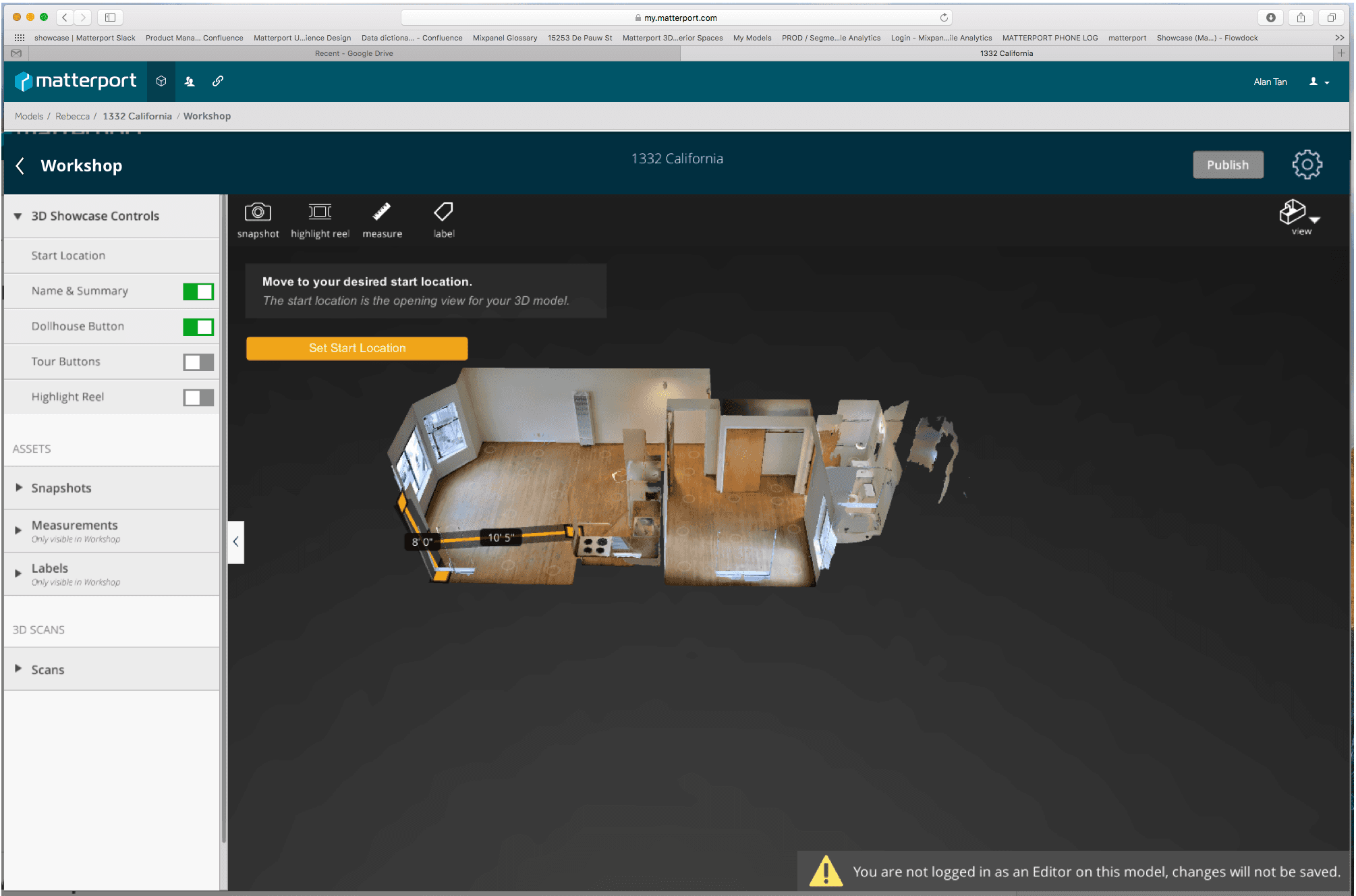
Related
- Tag Strategy — UX Design Concepts for Matterport Showcase — the spatial-annotation strategy that Workshop's tag authoring implemented.
My role
UX Design Manager. Led design across the editor surfaces, with tag authoring as the most-iterated piece across releases.
- 3D editing
- web app
- content tooling